For anyone with a screwdriver
Take it apart.
Get it back together.
TeardownTwin turns your camera into a disassembly log: photograph each step, pin every screw right on the photo — and reassemble with the same photos as a checklist, in reverse.
Works fully offline · iOS 17.0 or later · any iPhone
How it works
No 3D scans, no accounts, no learning curve. Just photos and taps.
- 01
Shoot before you unscrew
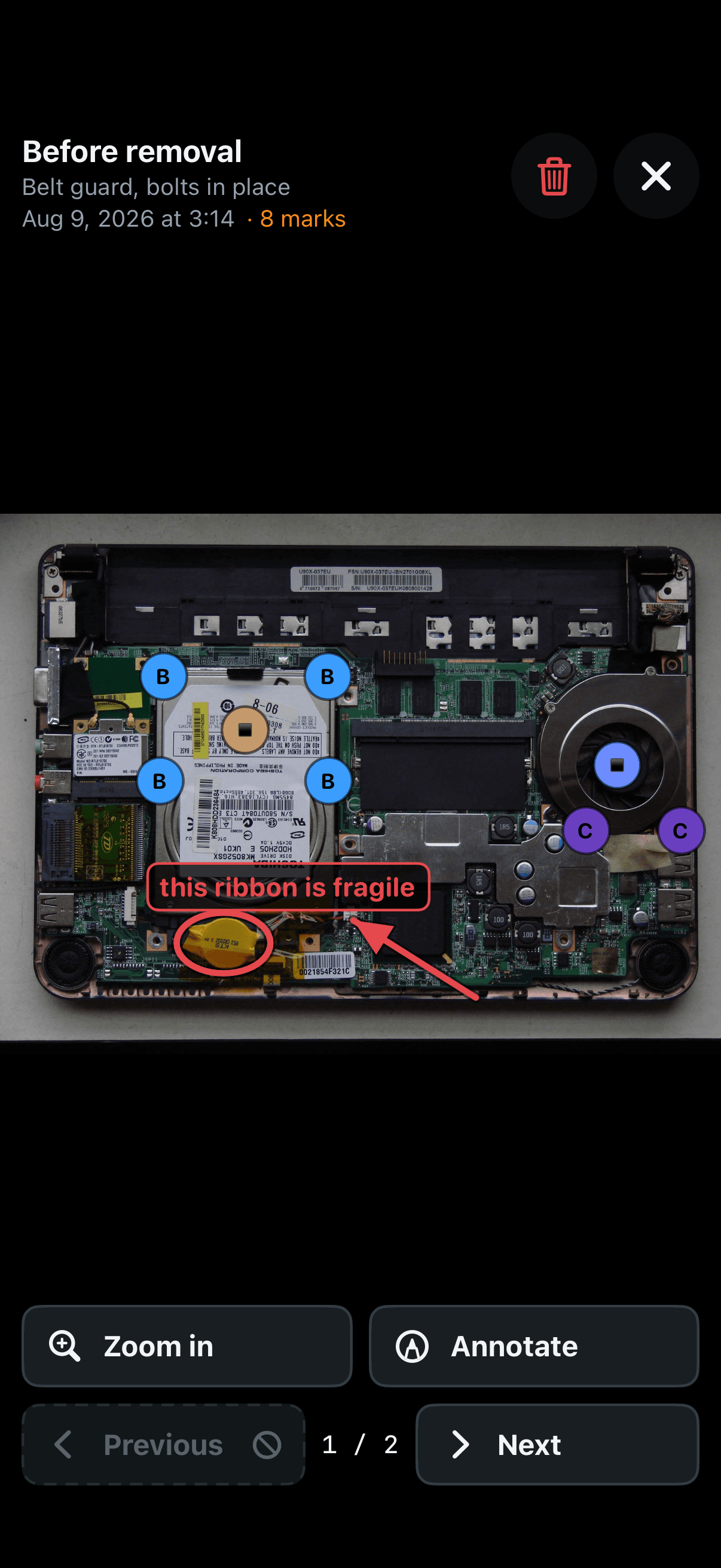
Photograph the assembly while everything is still in place. That photo is your map back.
- 02
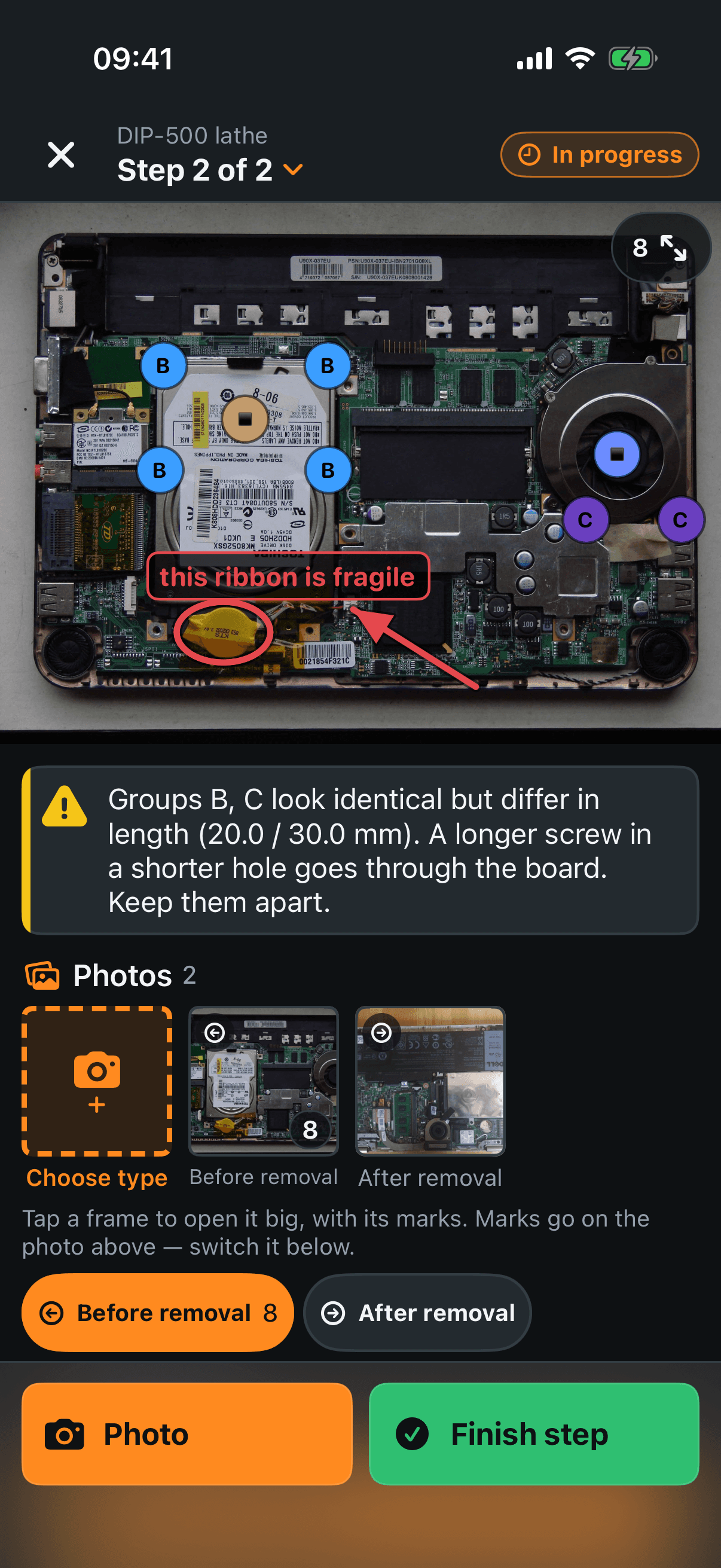
Pin every screw on the photo
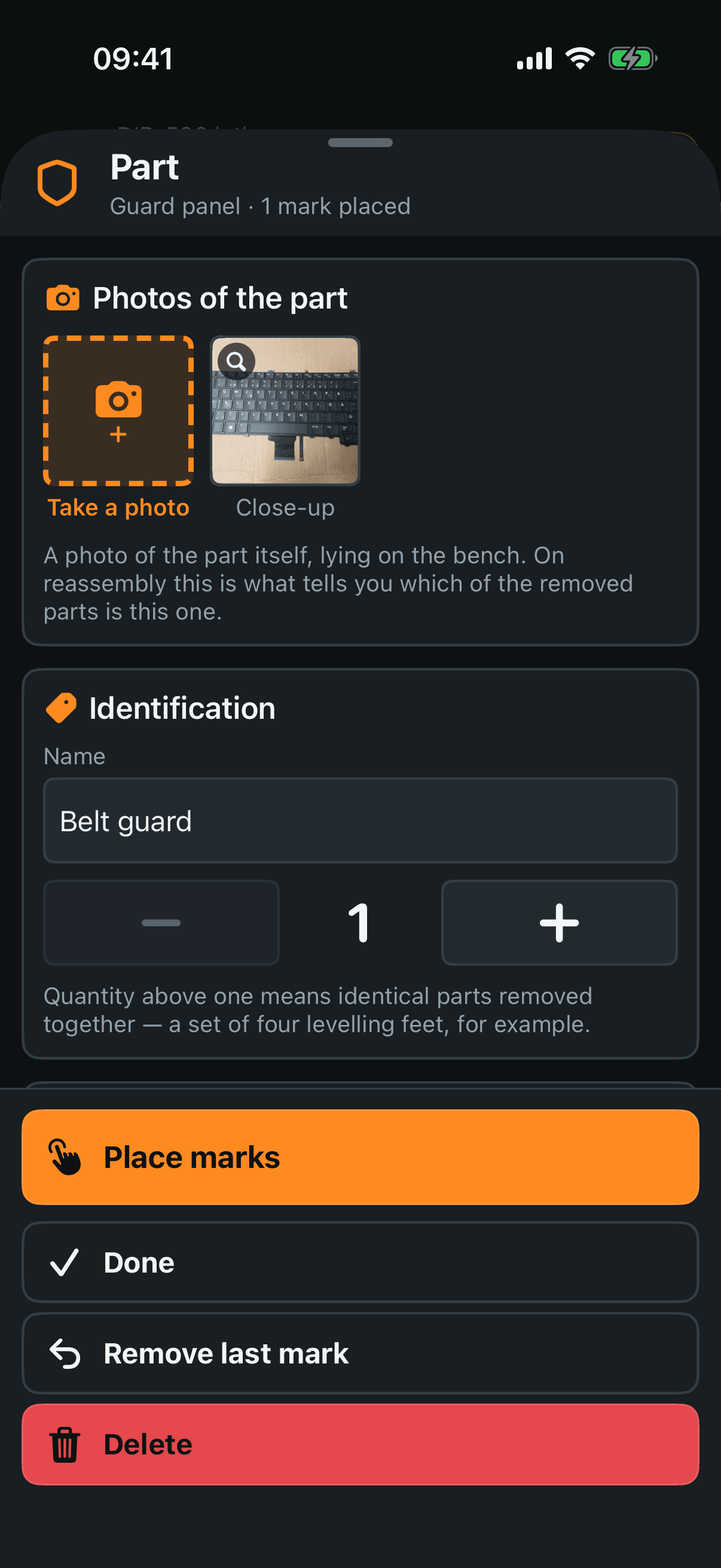
Tap the exact spot where each screw or part sat. Six screws are six taps.
- 03
Same screws get one letter
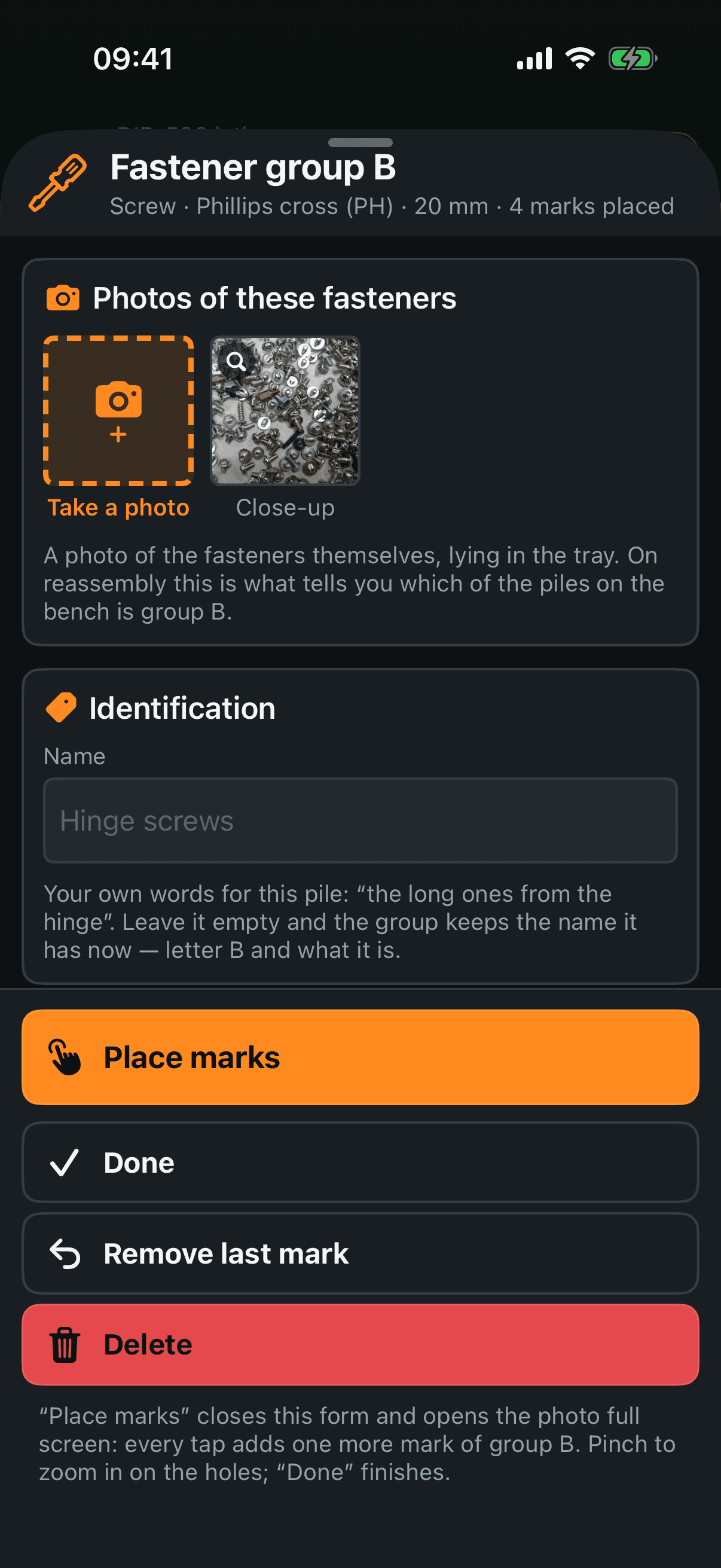
Describe a pile of identical screws once — it gets a letter: A, B, C… The letter is never reused in the project, so cup B always means the same screws.
- 04
Reassemble in reverse
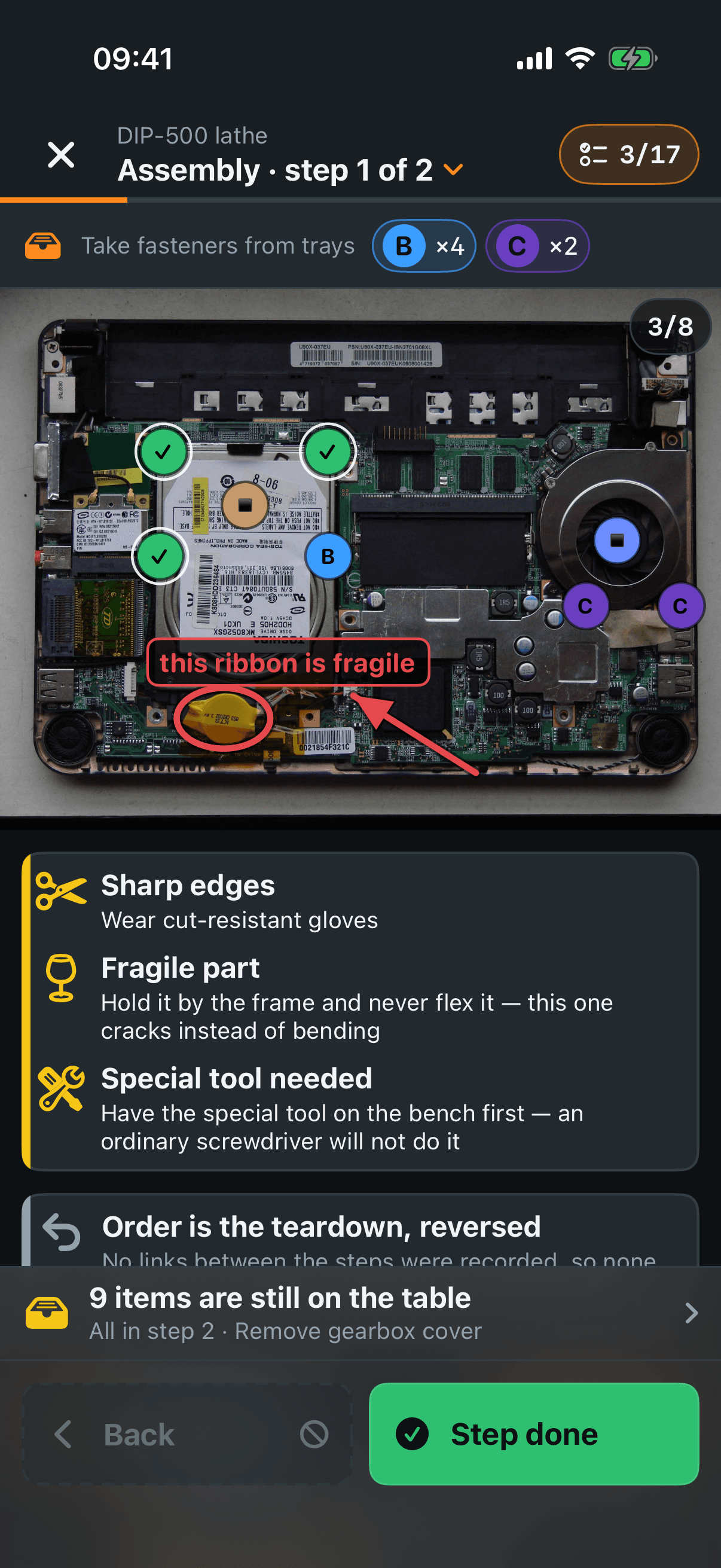
The same photos become a checklist, played backwards. The PDF report reads in reverse too — its first step is what you removed last.
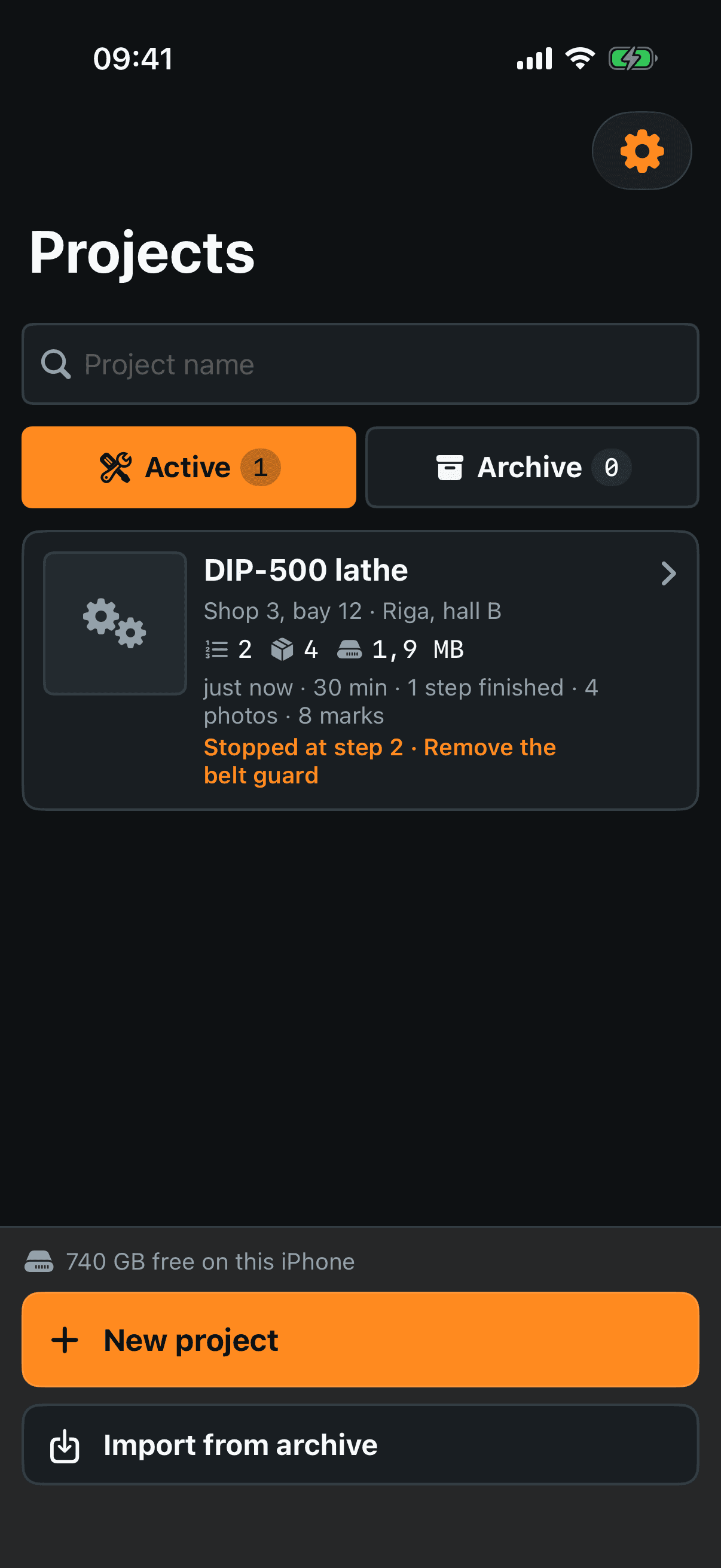
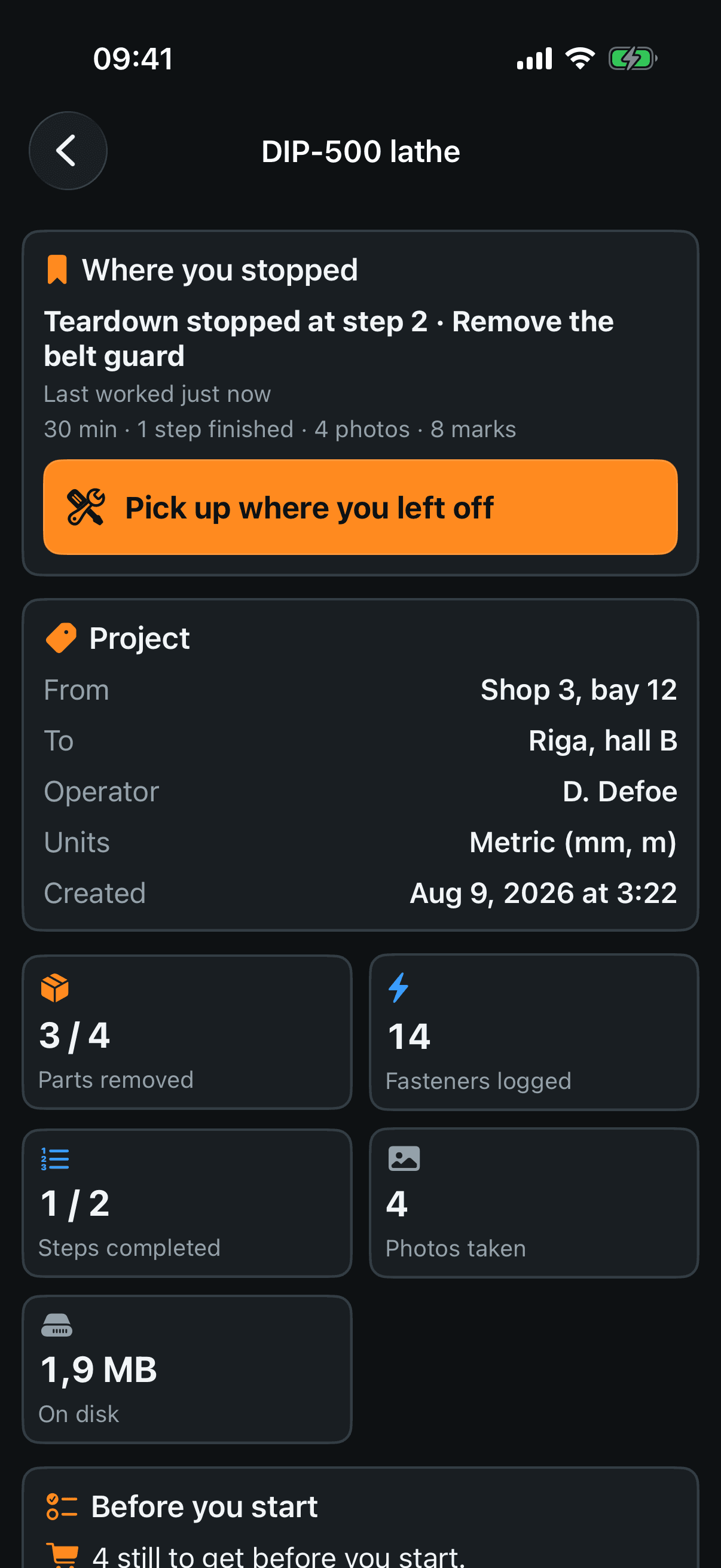
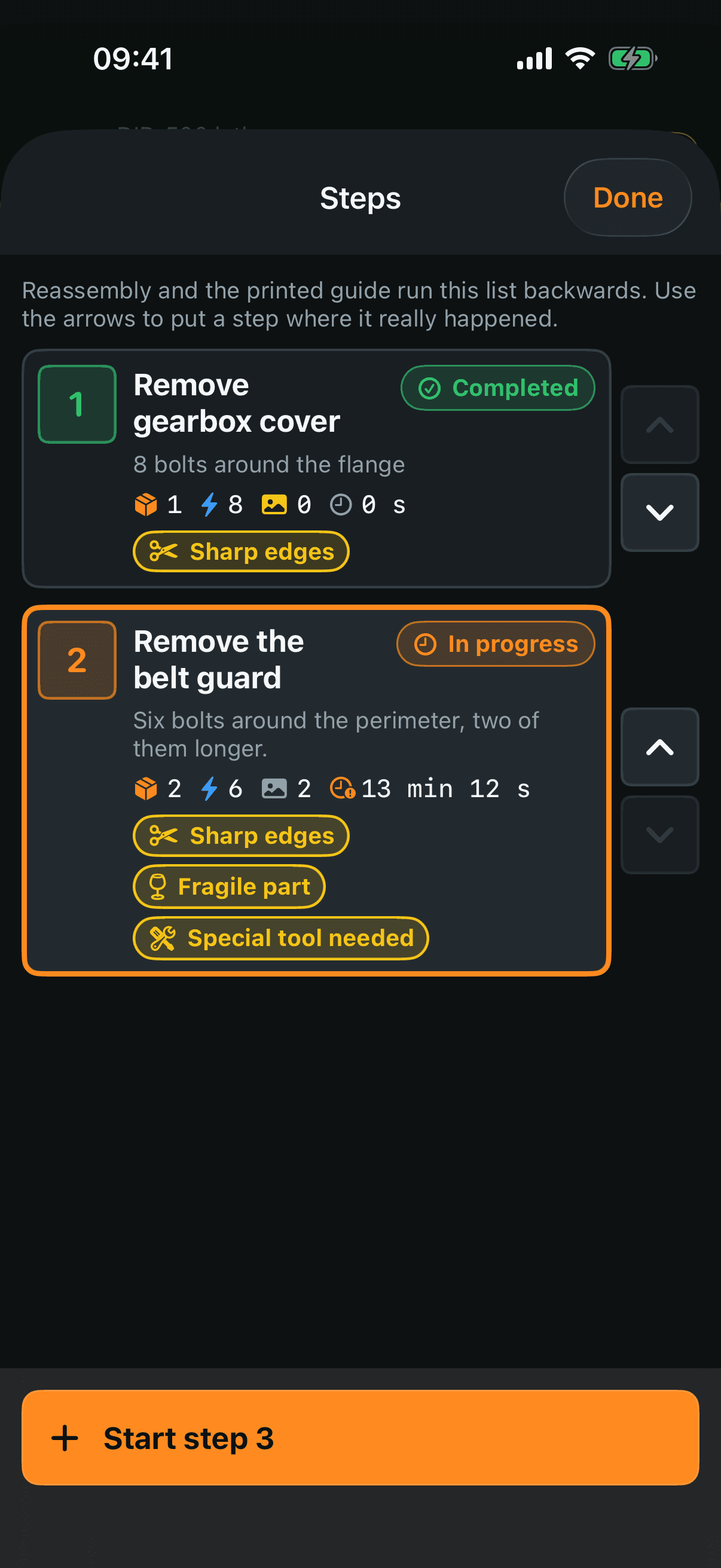
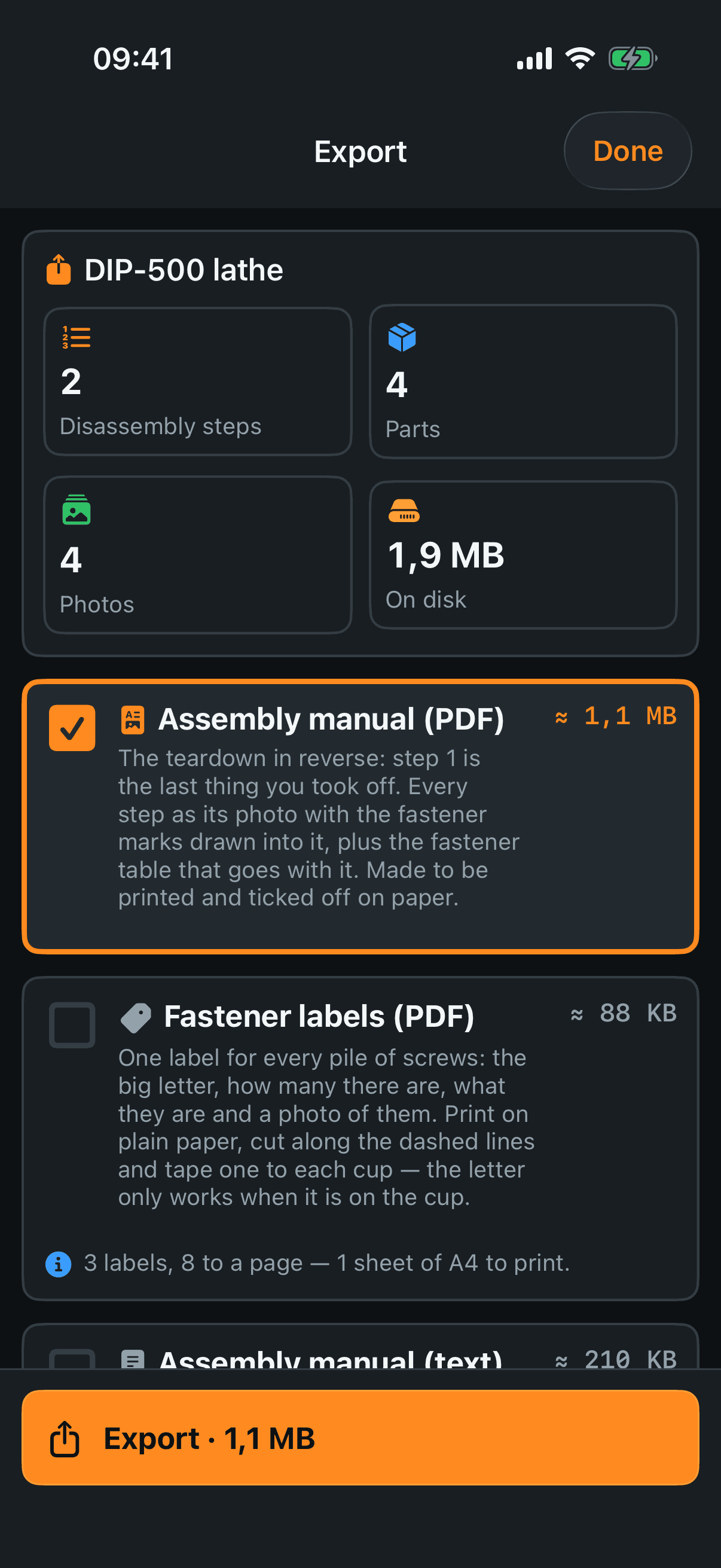
The screens
Real screenshots from the manual — this is exactly what you get.
The paper twin
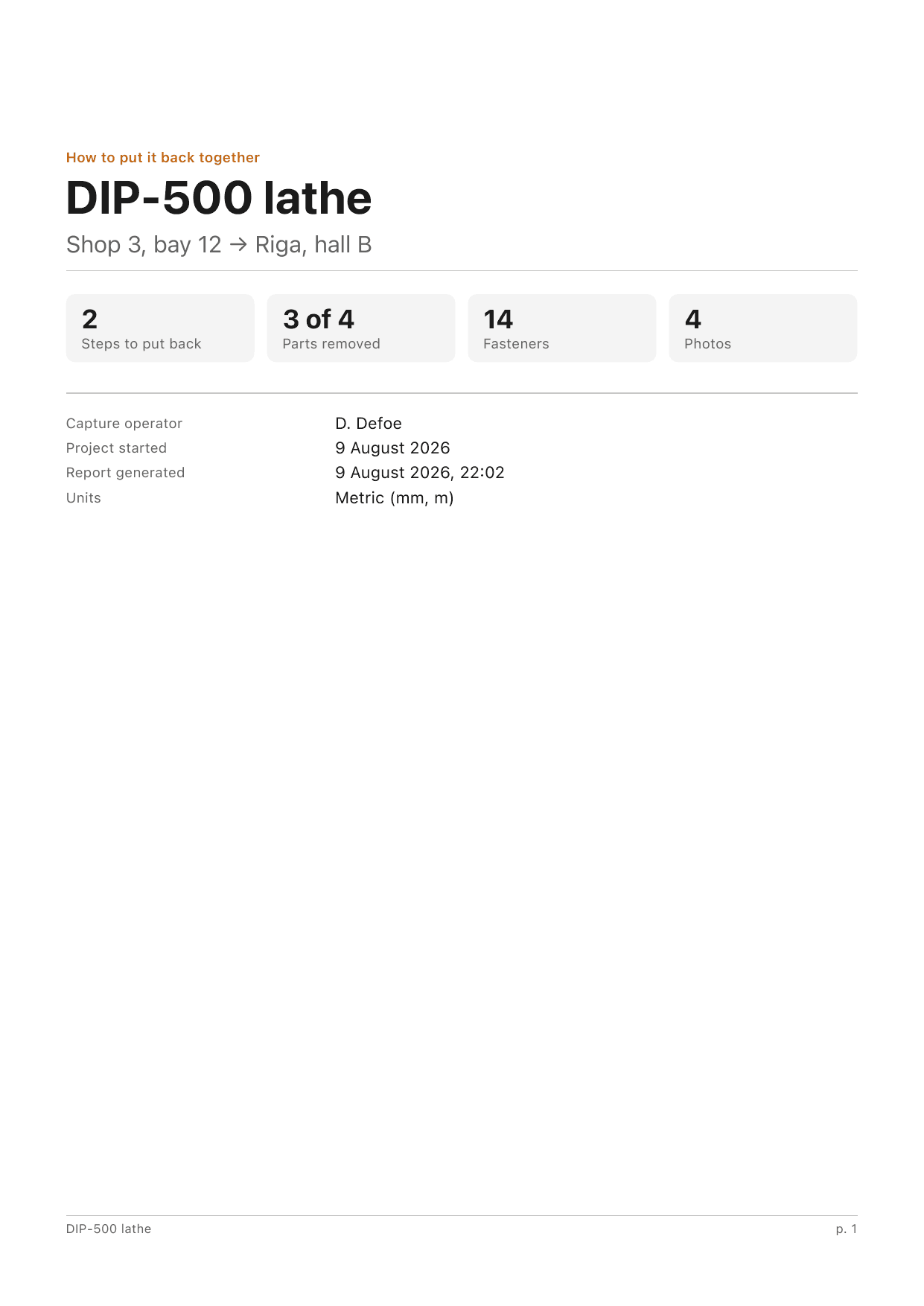
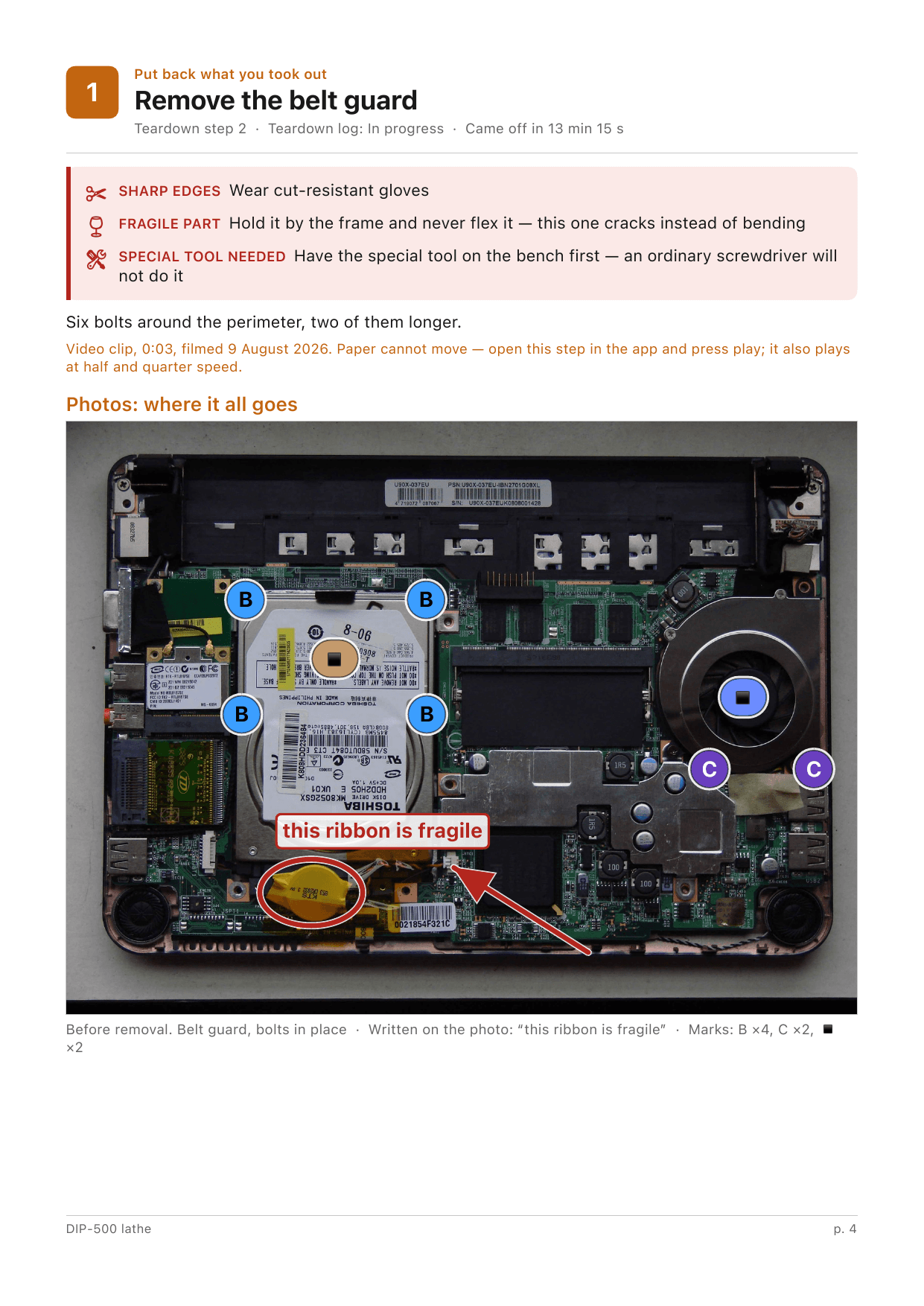
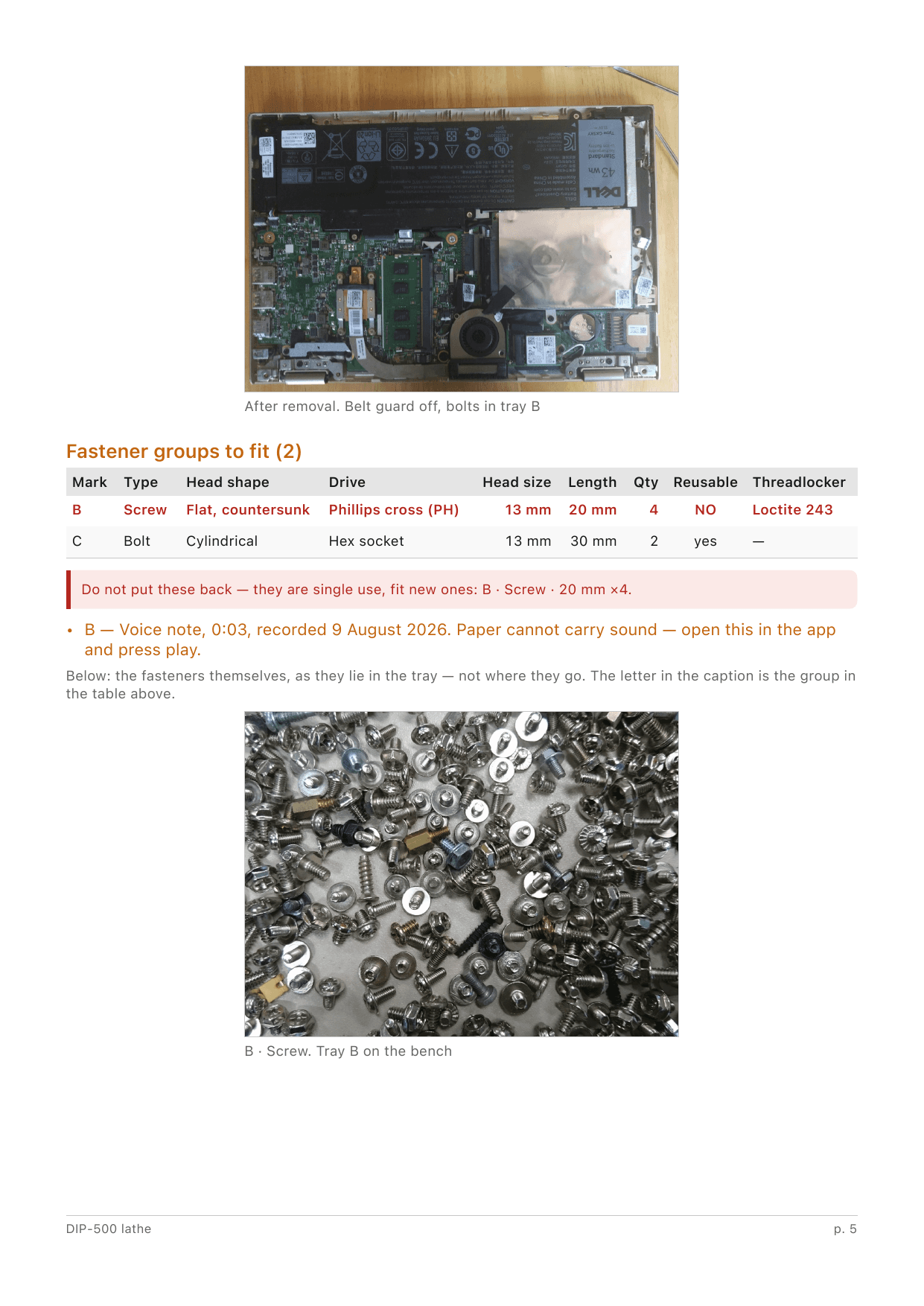
Every project exports an A4 report that reads in reverse: its first step is what you took off last. These pages are a real export, untouched.
Why it's different
Fully offline
No network, ever. No accounts, no cloud, nothing leaves your phone.
Any iPhone
No 3D, no ARKit, no LiDAR. If it runs iOS 17, it works.
Built for the garage
Dark theme only, big controls that respect work gloves.
Letters that never lie
A fastener letter is never reused in a project — cup B is always cup B.
A recovery path
Export a ZIP archive; import it back on any iPhone. A teardown you can't reshoot deserves a backup.
A paper twin
The PDF report reads in reverse — open it when the thing is already in pieces.
Pricing
Fixing one thing or fixing everything — pick the price that fits.
Monthly
€4.99
per month
- Good for a single repair.
- Cancel anytime — your projects stay on your phone.
Buy once
€34.99
one payment — yours forever
- Every future update included.
- No account. No ads. Nothing recurring.
Android — planned
Suggest a feature
Missing something? Tell me — real requests decide what gets built next.