Export
Four files, ticked independently. One of them is paper you work from; one of them is the only backup this app has.
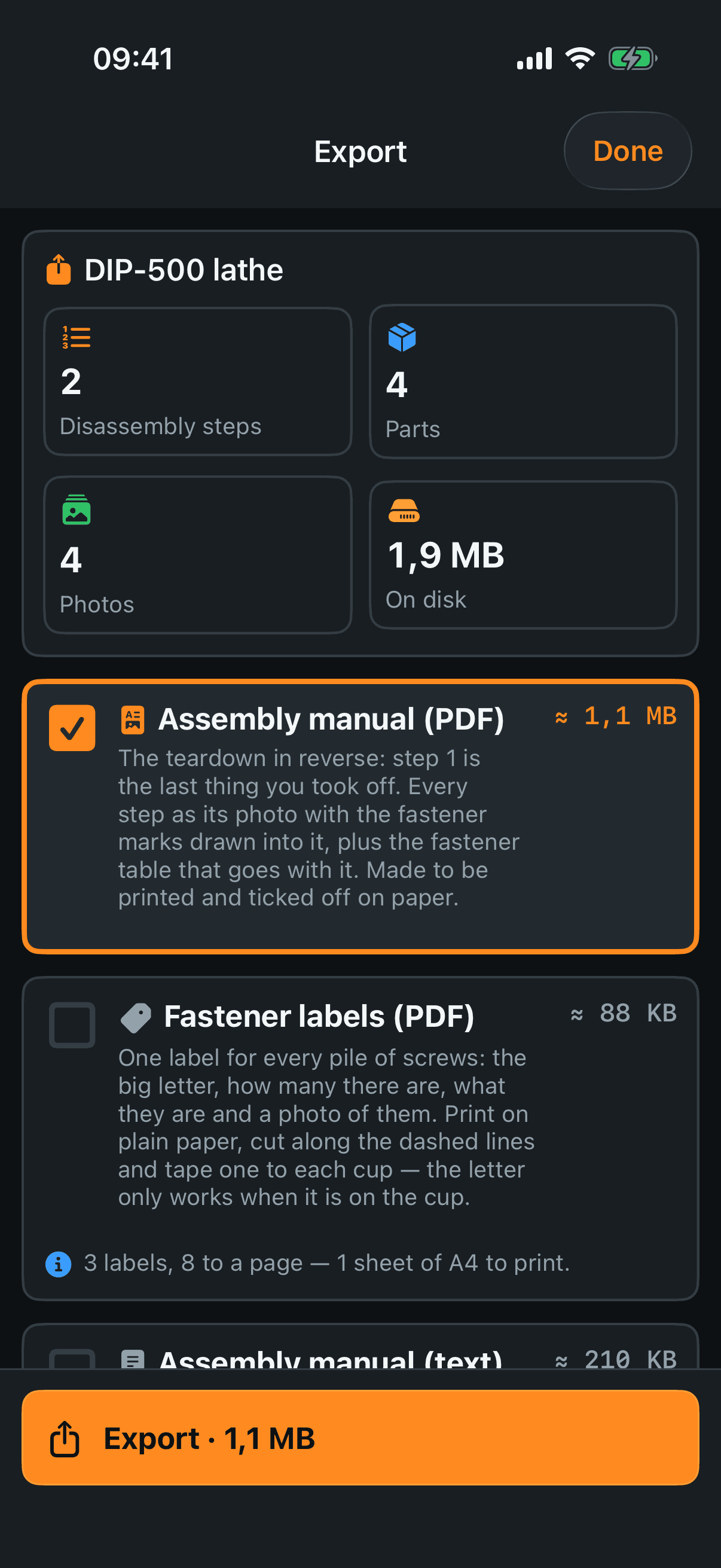
The four tiles at the top — steps, parts, photos and what the project weighs, so you know what is about to be packed.
What you can export
Assembly manual (PDF) — the teardown in reverse: step 1 of the document is the last thing you took off, so working from page one leaves you with an assembled machine. Every step gets its photo with the marks drawn into the picture, the fastener table that goes with it, the hazards, and the two lists to sort out before you start. Made to be printed and ticked off in pencil.
Fastener labels (PDF) — one label per pile: the big letter, how many, what they are and a photo of them. Eight to a sheet of A4 with dashed cut lines, on ordinary paper. The letter system only works while the letter is on the cup, and this is how it gets there. Greyed out until there is at least one pile.
Assembly manual (text) — the same document as a plain text file plus a folder of small photos, so it opens on anything, with no app and no PDF reader. It does not replace the paper: the circles are not drawn into these pictures, they are written out in words underneath. The card says so before you press.
Project archive (ZIP) — everything: photos at full size, marks, drawings, voice notes, clips and the record itself. This is the file that Import from archive in section 1 reads back. Turning Include photos off makes it small, but photos are then not what comes back.
Running it
Export — the one button at the bottom; it names how many files and how big. While it runs, Done is switched off and the sheet will not be swiped away.
If one part fails the others still finish and you are told which one did not. A PDF that is ready goes to whoever needs it even if the archive did not pack.
Share the file — the usual iPhone share sheet: AirDrop, Files, mail, a message. This is how the file leaves the phone; the app itself never sends anything anywhere.