Photo viewer
The same photo, big. It has three jobs: look at it, place marks accurately on it, and draw a warning on it.
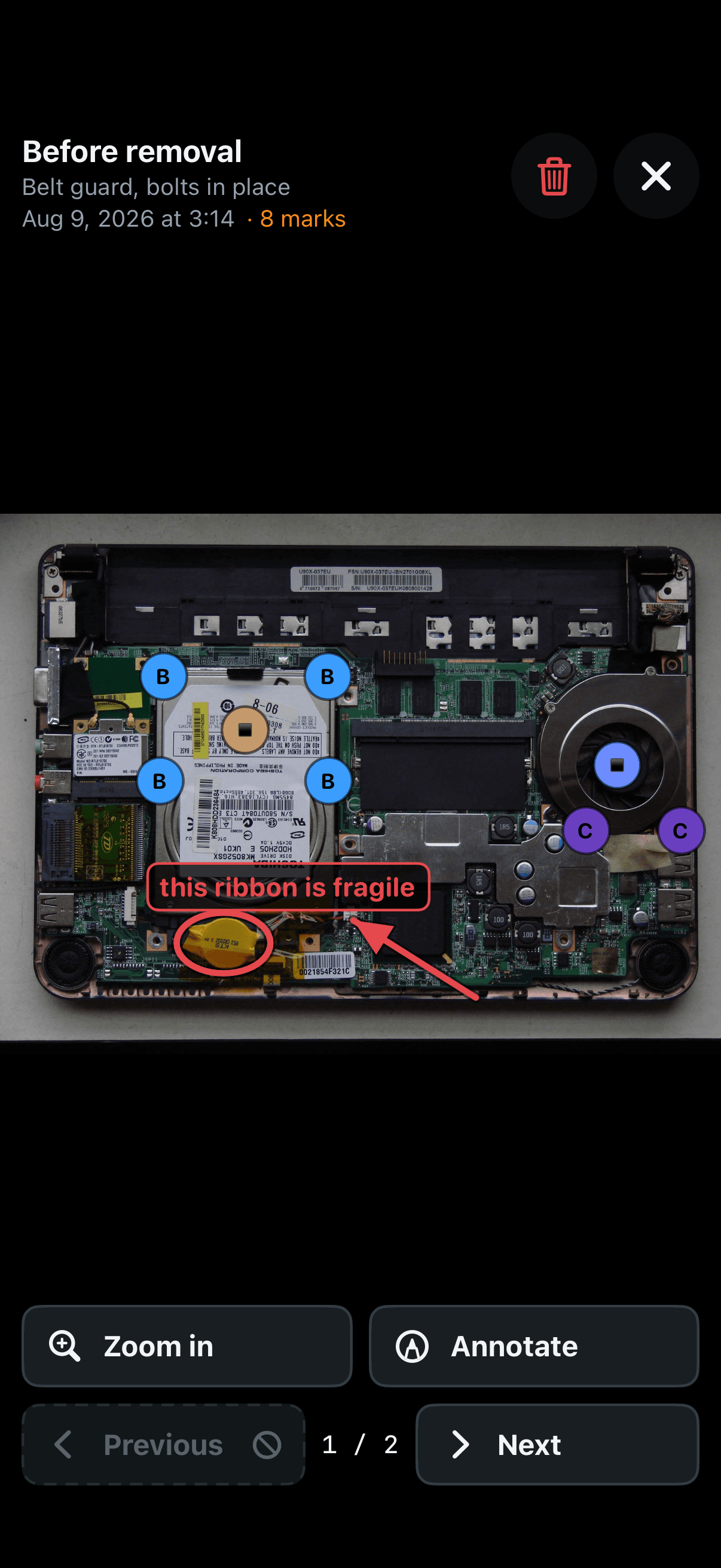
The heading — what the shot is of, the words you wrote under it, when it was taken and how many marks it carries.
Bin — deletes the photo, and everything drawn or marked on it goes with it. It asks first, and the question has both answers.
× — closes and puts you back where you came from.
Zoom in / Fit to screen — one button, both ways. A pinch does the same, and dragging moves the zoomed photo around.
Previous / Next — the other photos of the same step. The counter between them says where you are.
Placing marks
Arriving here from Place marks in a form (sections 5 and 6) changes the screen: it holds one photo only, and every tap drops another mark of that group.
Remove last mark — undoes a miss. It is the one button from the form you need while aiming; the rest describe the thing, and that is done before or after, not instead.
Done — placing is finished and the photo closes. × only closes the photo; the mode carries on.
Annotate
Annotate — for what a circle cannot say: “do not lever here”, “this ribbon is fragile”, “the plug comes out this way”. You get a coloured border round the screen, a banner naming the tool, and the chosen tool filled in, so the mode is never in doubt.
Arrow, Circle, Text — drag to draw the first two; tap for the third and type the word. Tap a shape to select it: its ends appear, drag an end to reshape it, the middle to move it whole. Edit words changes a word.
Move — the fourth tool, which draws nothing. Arrows and circles are drawn by dragging and the zoomed photo is moved by dragging too; this is how you say which you meant.
The bin in this mode removes one drawing, not the photo, and it names what is going.
Done — leaves annotating but keeps the photo open, because after drawing on a photo you look at it.
Where they show up — drawings go on photos of the place only. They then appear everywhere that photo does: the working area, the assembly screen, and the printed manual.