Project hub
One project at a glance, and the way into the three modes.
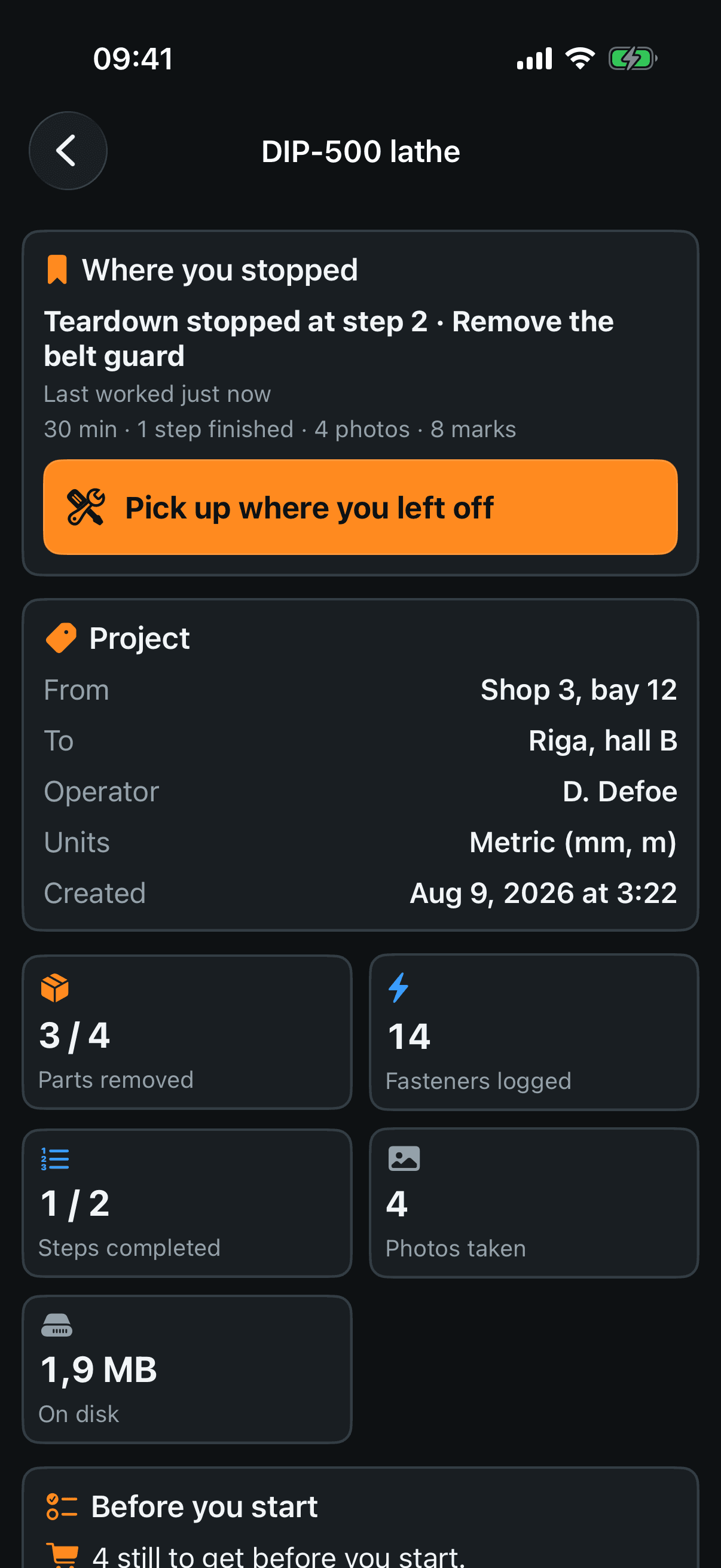
Where you stopped — which step, when you last worked, and what you got through. It is worked out from the job itself, not from which screen happened to be open last.
Pick up where you left off — opens the right mode on the right step. There is no button when there is nothing to return to.
Project — where the machine came from, where it goes, who is on it, the units and the date. Empty lines are left out.
The five tiles — parts removed out of parts logged, fasteners logged, steps completed, photos taken, and what the project weighs on disk.
Before you start
Buy — the fasteners that will not hold a second time. The app puts them here itself, from what you recorded as single use, and you can add anything it cannot know: thermal paste, tape, a gasket.
Tools — worked out from the drives and the kinds of fastener you logged. One line per tool, with the cups that need it.
Ticking a line — tap anywhere on the row. Ticked lines go grey and stay on the list; they also print, marked as ticked off. You tick at home and read the list in the shop, where there is nothing to check against.
The two grey lines under Tools — the app knows the shape of the drive, not its size: “Phillips”, never “PH0”. And it says how many cups told it nothing at all about a tool, so a short list is not mistaken for “nothing else needed”.
Modes and checks
Teardown — the working screen. Section 3.
Assembly — the reverse checklist. Section 7. It stays off until one step has been recorded, and says so.
Export — paper and archive. Section 8. Off until there is at least one step or one part.
Data check — gaps the app can see for itself: a step with no photos, a part with no fasteners recorded, a step where something came off before the thing sitting on it. Or “No gaps found”.
Recent steps — the last five, newest first.