Fastener group
One form per pile of screws. You fill it in once, and the letter at the top is the name of a cup on the bench.
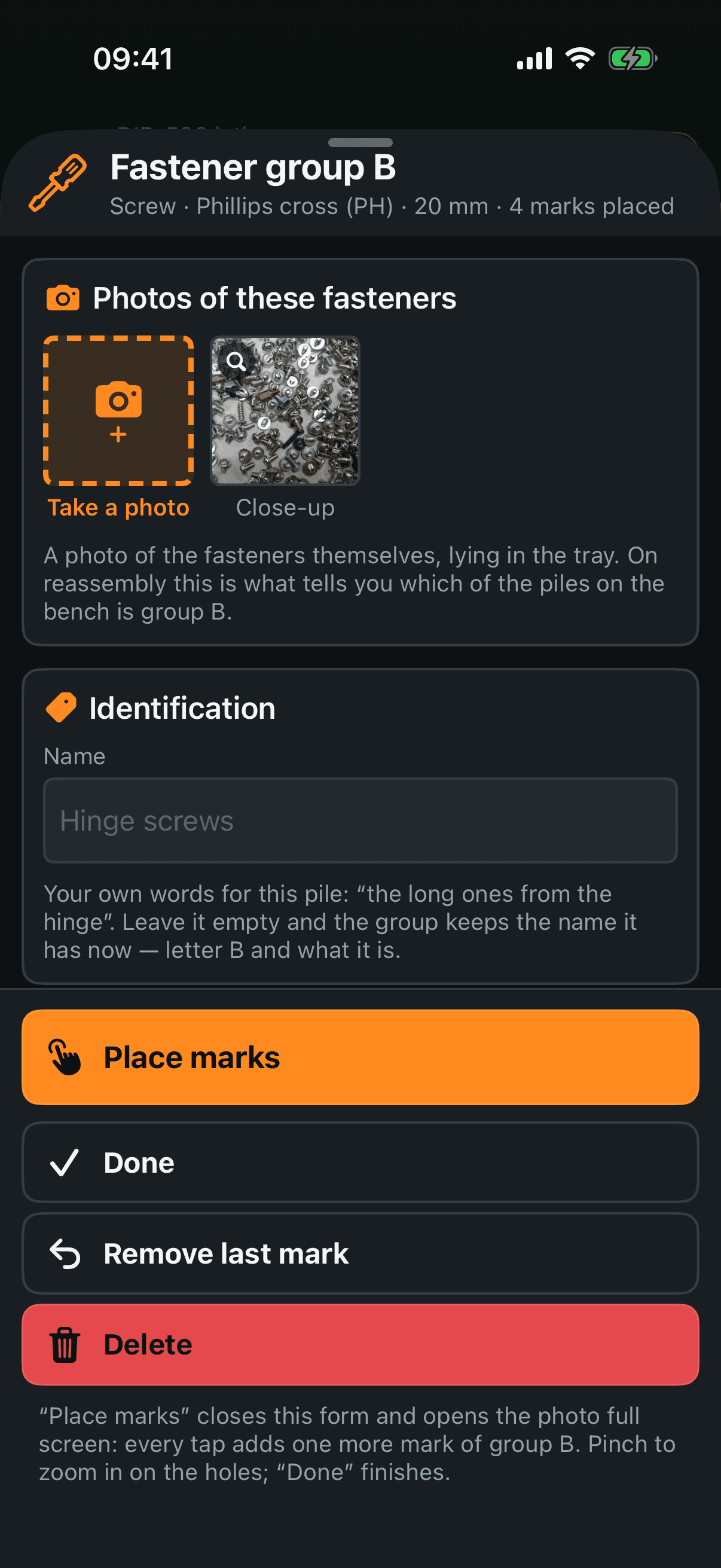
Photos of these fasteners — the screws themselves, lying in the tray. On reassembly this is what tells you which of six identical piles on the bench is B. The camera is right here in the card, and a photo opens full screen with a bin.
Name — your own words for this pile: “the long ones from the hinge”. Leaving it empty is fine; the pile is then named by its letter and what it is.
Where they were — the step photos this group is marked on, its own marks bright and everyone else's dimmed. Tap one to open it big. There is no bin here: the frame belongs to the step and carries other people's marks.
Type — screw, bolt, nut, washer, clip and the rest, with a field of your own words under Other for anything not on the list. Below it, the length.
Measure it off a photo — for when you do not have a rule. Put a coin next to the screws and shoot them together; then draw a line across the coin, say which coin it is, draw a line along the screw, and the sheet works the length out. It offers the number and you accept it by pressing Use N mm — it never writes a length into the form by itself. The coin stays recorded on that photo, so the second screw a week later needs no new coin.
Quantity — how many are in the cup.
Tray — the letter, and a label of your own if you want something else written on the cup.
Notes — anything else: “seized, cut off with a grinder”.
Voice note — hold and say it, for what is quicker said than typed.
The panel at the bottom
Place marks — closes the form and opens the working photo full screen, where every tap adds another mark of this group. Section 4.
Remove last mark — takes back the last circle you dropped.
Done — closes the form. There is no separate save: what you type is kept as you type it.
Delete — removes the pile and its marks, after a question with both answers. The teardown screen offers one undo straight after.